export class AccordionComponent implements OnInit {
// We use this property to set a different CSS class on the employee
// panel if we have just viewed his details
@Input() hasJustViewed: boolean;
// Sets the panel title, in our case the name of the employee
@Input() title: string;
// Controls hiding and showing panel body and footer
@Input() isHidden = false;
constructor() { }
ngOnInit() {
}
}
<!-- Add panel-success class only if hasJustViewed property is true -->
<div class="panel panel-primary" [class.panel-success]="hasJustViewed">
<!-- pointerCursor class changes the cursor style to pointer when hovered
over the employee panel title. When clicked on the title, isHidden
boolean property is toggled from true to false & vice-versa. We use
this property to toggle the visibility of panel body & footer -->
<div class="panel-heading pointerCursor" (click)="isHidden = !isHidden">
<h3 class="panel-title">{{title | uppercase}}</h3>
</div>
<div class="panel-body" [hidden]="isHidden">
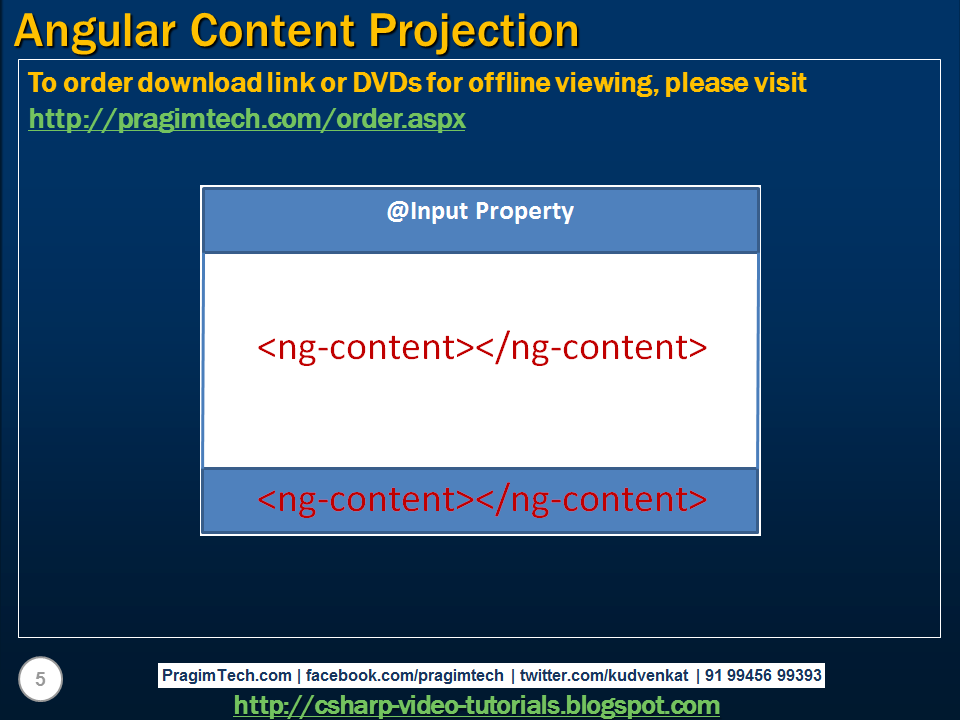
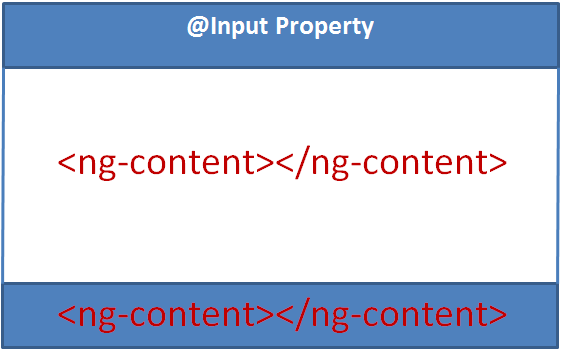
<!-- ng-content specifies the slot into which the content will be projected
by the component that consumes this accordion component -->
<ng-content select=".myPanelBody"></ng-content>
</div>
<div class="panel-footer" [hidden]="isHidden">
<!-- Another slot into which the content can be projected. Since we have more
than one slot into which the content can be projected, this is called
multi-slot content projection-->
<ng-content select=".myPanelFooter"></ng-content>
</div>
</div>
<!-- Pass employee name as the value for title input property. Also set
isHidden input propety to false if you want the panel body and footer
to be collapsed on the initial page load.-->
<app-accordion [title]="employee.name" [isHidden]="true"
[hasJustViewed]="selectedEmployeeId === employee.id">
<!-- Notice myPanelBody css class is present on this <div>. This CCS class is
used as the selector on the <ng-content> tag in accordion component. So all this
content in this DIV will be projected at the location where we have <ng-content>
tag with css class selector .myPanelBody -->
<div class="col-xs-10 myPanelBody">
<div class="row vertical-align">
<div class="col-xs-4">
<img class="imageClass" [src]="employee.photoPath" />
</div>
<div class="col-xs-8">
<div class="row">
<div class="col-xs-6">
Gender
</div>
<div class="col-xs-6">
: {{employee.gender}}
</div>
</div>
<div class="row">
<div class="col-xs-6">
Date of Birth
</div>
<div class="col-xs-6">
: {{employee.dateOfBirth | date}}
</div>
</div>
<div class="row">
<div class="col-xs-6">
Contact Preference
</div>
<div class="col-xs-6">
: {{employee.contactPreference}}
</div>
</div>
<div class="row">
<div class="col-xs-6">
Phone
</div>
<div class="col-xs-6">
: {{employee.phoneNumber}}
</div>
</div>
<div class="row">
<div class="col-xs-6">
Email
</div>
<div class="col-xs-6">
: {{employee.email}}
</div>
</div>
<div class="row">
<div class="col-xs-6">
Department
</div>
<div class="col-xs-6" [ngSwitch]="employee.department">
:
<span *ngSwitchCase="1">Help Desk</span>
<span *ngSwitchCase="2">HR</span>
<span *ngSwitchCase="3">IT</span>
<span *ngSwitchCase="4">Payroll</span>
<span *ngSwitchDefault>N/A</span>
</div>
</div>
<div class="row">
<div class="col-xs-6">
Is Active
</div>
<div class="col-xs-6">
: {{employee.isActive}}
</div>
</div>
</div>
</div>
</div>
<!-- The content in the following DIV will be projected at the location
where we have <ng-content> tag with css selector .myPanelFooter -->
<div class="myPanelFooter">
<button class="btn btn-primary" (click)="viewEmployee()">View</button>
<button class="btn btn-primary" (click)="editEmployee()">Edit</button>
<span *ngIf="confirmDelete">
<span>Are you sure you want to delete ?</span>
<button class="btn btn-danger" (click)="deleteEmployee()">Yes</button>
<button class="btn btn-primary" (click)="confirmDelete=false">No</button>
</span>
<span *ngIf="!confirmDelete">
<button class="btn btn-danger" (click)="confirmDelete=true">Delete</button>
</span>
</div>
</app-accordion>